How to listen to RS485 communication (Modbus) integrated stepper/servo motor message?
Listening to the messages of the integrated stepper/servo motor with RS485 communication (Modbus) is an important means to troubleshoot motor control problems and verify whether the communication instructions are correct. This article will briefly explain the message listening of the integrated stepper/servo motor based on RS-485 communication.
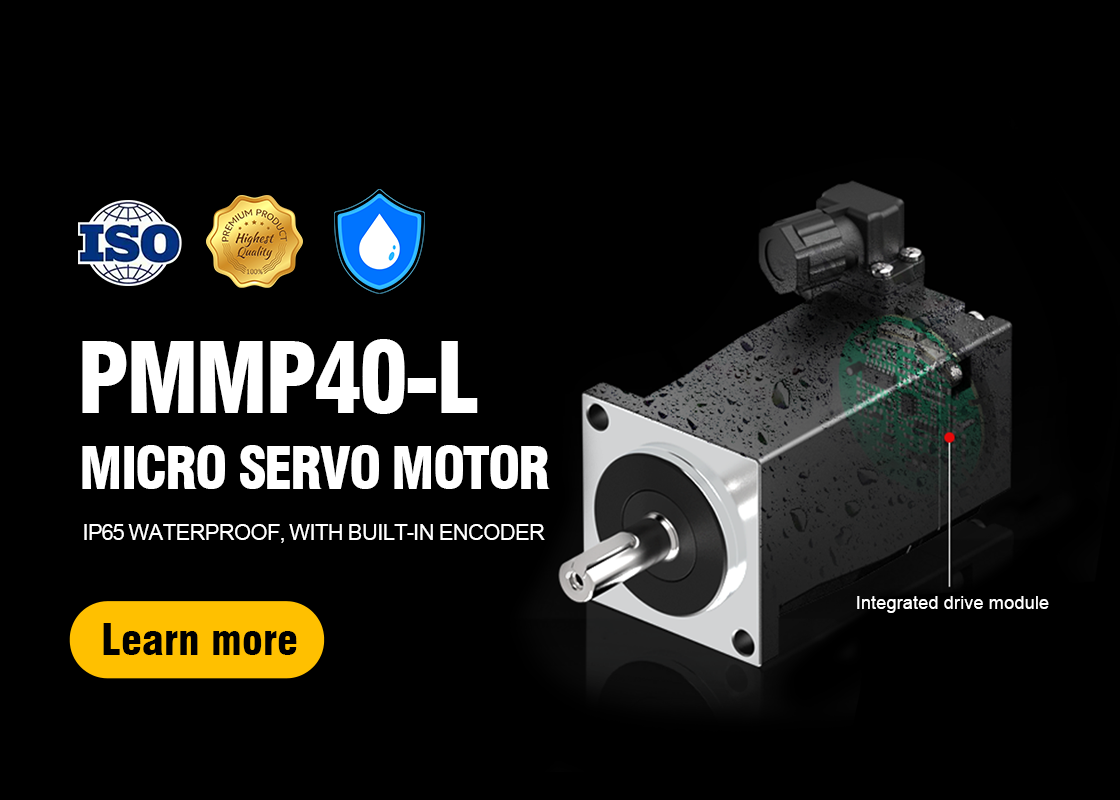
Applicable to our companySTM-M series integrated stepper servo motor 、 BLM series integrated brushless motor 、 PMM(P) series integrated servo motor。
1. Preparation
1. Equipment preparation:
USB to RS485 converter:Used to convert the computer's USB interface to RS485 interface for connecting the motor bus.
RS485 communication line:Used to connect the USB to RS485 converter and the motor.
Computer:Used to run the listening software.
RS485 listening software:Listening software that supports the Modbus protocol, used to capture and parse communication messages.
2. Understand the motor parameters:
Baud rate:The baud rate of the motor communication, such as the common 9600, 19200, 38400, 57600, 115200, etc., please refer to the motor manual for details.
Data bit, stop bit, check bit:These parameters also need to be configured according to the motor manual.
2. Connecting equipment
1. Connect the USB to RS485 converter:
Connect one end of the loose wire of the USB to RS485 converter in parallel to the A and B terminals of the RS485 bus of the motor to ensure a firm connection.
2. Connect to the computer:
Insert the USB port of the USB to RS485 converter into the USB port of the computer.
3. Set up the monitoring software
1. Open the monitoring software:
Start the RS485 monitoring software, such as ModScan, Modbus Poll and other software that supports the Modbus protocol. Here we use USB485Converter.
2. Configure parameters:
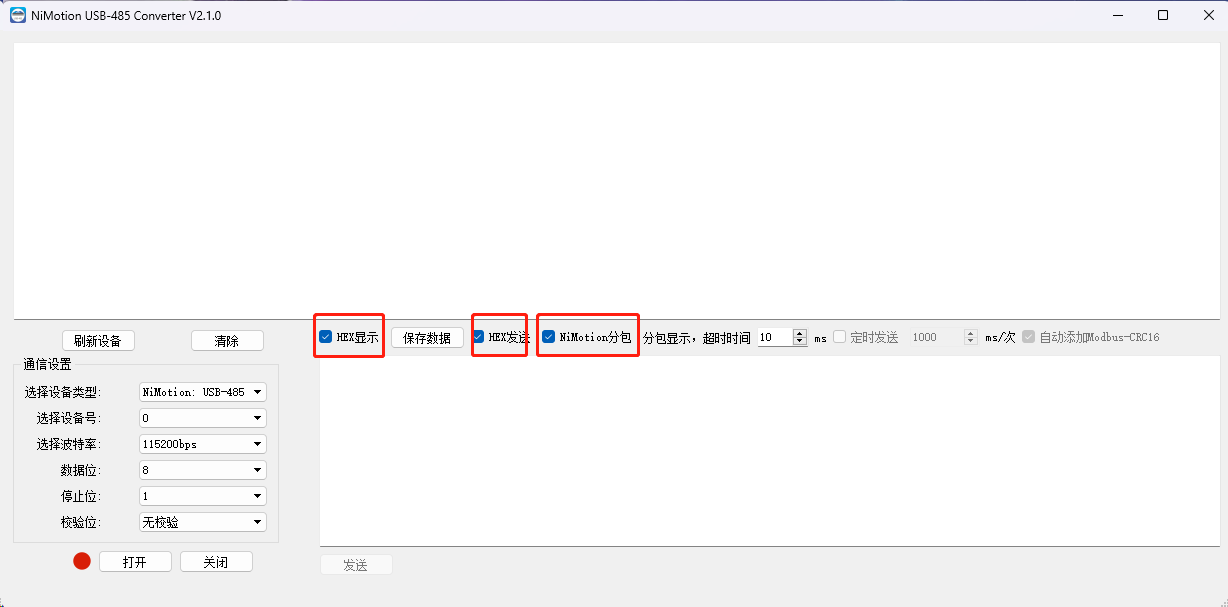
Open the 485 monitoring software, check "HEX display", "HEX sending" and "NiMotion subpacketization".
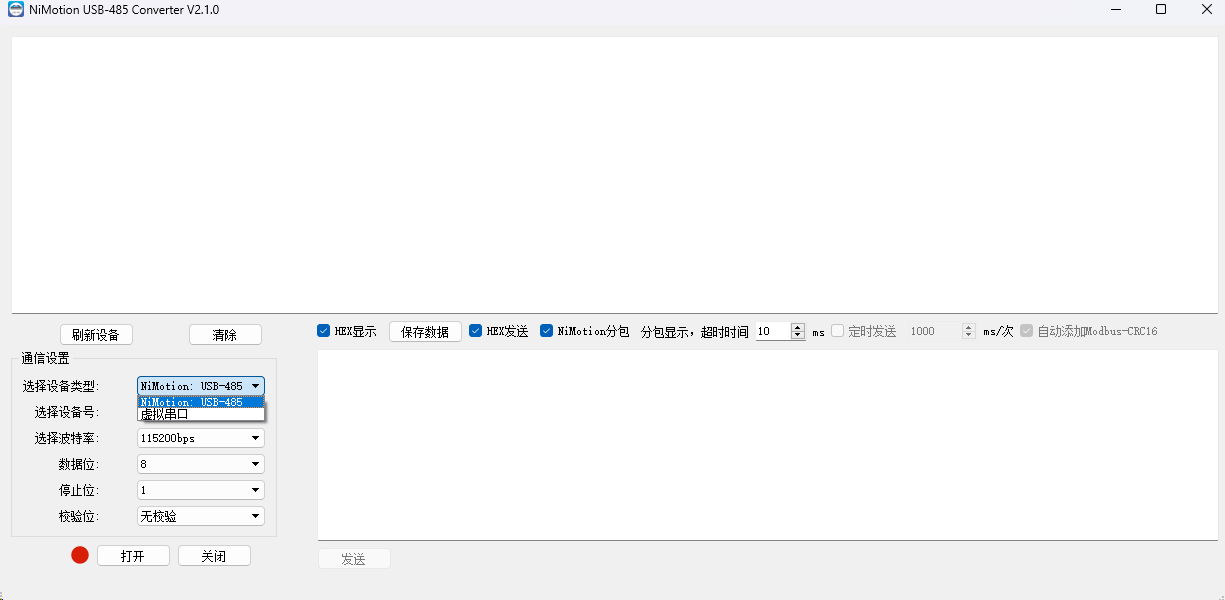
If it is a Nimotion converter, select "Nimotion: usb-485", if it is your own device, select "virtual serial port".
Then select the computer's com port in the drop-down menu of the device number, and select the motor's baud rate in the drop-down menu of the baud rate.
The factory default parameters of the motor: baud rate 115200, data bit 8, stop bit 1, no check.
After setting the above parameters, select "Open".
At this time, you can control the motor normally. If the settings are correct, the interface will display the message requested by the master station and the message responded by the slave station. Start the listening function, and the software will start to capture the communication messages on the bus.
4. Analyze and save data
1. Analyze the message:
According to the specification of Modbus protocol, analyze the address, function code, data and other fields of the message to verify whether the communication is normal and whether the instruction is executed.
2. Save data:
If necessary, you can save the captured message data, select "Save data", save it as a file for subsequent analysis or sending to technical support personnel.
Through the above steps, you can effectively listen to the message of RS485 communication (Modbus) integrated stepper/servo motor, and conduct in-depth analysis and processing.
Precautions
1. Port occupation: If the motor is controlled by PC, the control and monitoring USB ports cannot be the same, otherwise the port will be occupied.
2. Security: When performing monitoring operations, please ensure that there will be no interference or damage to the normal operation of the motor.
3. Professional knowledge: Monitoring and analyzing RS485 communication messages requires certain professional knowledge and experience. If you are not familiar with the Modbus protocol, it is recommended to consult professional technicians or refer to relevant materials.