[Tutorial] How to use ST language programming in the CFC program organization unit of the NIMC2000 controller
With the rapid development of industrial automation and robotics, efficient, reliable and flexible control systems have become the key to industrial production.
NIMC2000 series controllers, with their excellent performance and innovation capabilities, have occupied an important position in the field of industrial automation.
This article aims to introduce how to use ST (Structured Text) language programming in the program organization unit of CFC (Continuous Function Chart) of NIMC2000 series controllers to achieve a higher level of automation control!
I. Overview of CFC and ST languages
CFC is an industrial automation control method based on graphical programming. It displays control logic and processes through an intuitive graphical interface, allowing engineers to design complex control systems easily and quickly.
ST language is a high-level text programming language for automation systems. It uses syntax and structure similar to C language, supports object-oriented programming, and provides a wealth of library functions and control structures, making program development more flexible and efficient.
II. Features of NIMC2000 controller
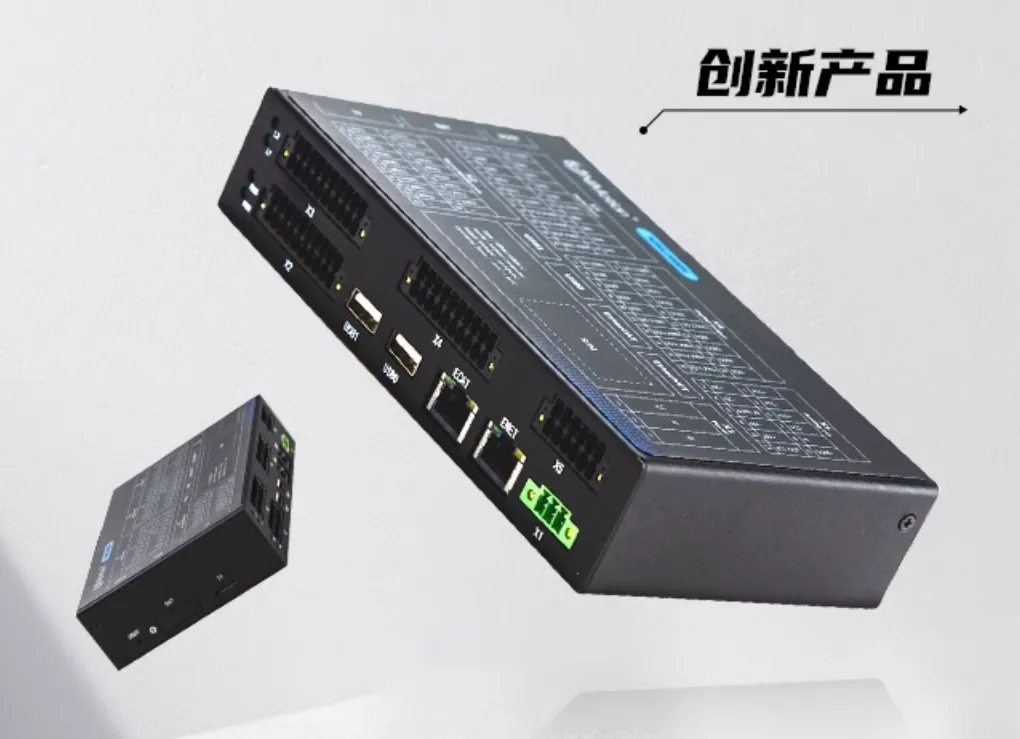
NIMC2000 series controller is an innovative integrated controller launched by Limax. It combines the concept of modern control technology in industrial design and creatively integrates PLC functions and motion control functions into the same hardware device.
.webp)
The controller complies with EtherCAT and CANopen network standards, can achieve precise multi-axis control, and supports a variety of standard programming environments, such as IEC 61131-3, PLCopen, .NET and Win32 C++.
III. Application of ST language in CFC program organization unit
Using ST language for programming in CFC program organization unit can make full use of the structured and advanced features of ST language to achieve more complex and efficient automation control. The following are the general steps for programming NIMC2000 series controllers in CFC using ST language:
1. First open a project, which includes an enable and a relative motion function
.webp)
2. Right-click the organization unit of this program, add an action "ACT", and select ST language as the action language
.webp)
3. For example, if you want to add a "reset this execute after the relative movement is completed", how do you do it?
(1). Click "ACT" on the left and write a program in ST language
.webp)
(2). Reference in POU: Drag the written program directly into the POU
.webp)
(3). Click "Download", select "Login and Download", and click "OK"
.webp)
(4). Click "Visualization" on the left, click the enable button, and click "Move". After the movement is completed, the "Move" button will automatically reset.
.webp)
.webp)
Through the above simple examples, we have already had a preliminary understanding of the basic steps of using ST language to write logic in CFC. In actual applications, the implementation steps are basically the same. The difference is that ST language can be used to write more specific control logic and algorithms to achieve complex control functions.