What is a Gateway in Networking? Definition, Functions, Types, and Examples
In the modern digital world, seamless communication between devices and networks is essential. But how do different networks—often using incompatible protocols, addressing schemes, or architectures—talk to each other? The answer lies in a fundamental but often misunderstood component: the gateway.

This article explores everything you need to know about gateway in networking, from its basic definition to advanced use cases. Whether you are a student, IT professional, or business owner, understanding gateway technology will help you design more efficient, secure, and interconnected network systems.
1. What is a Gateway in Networking?
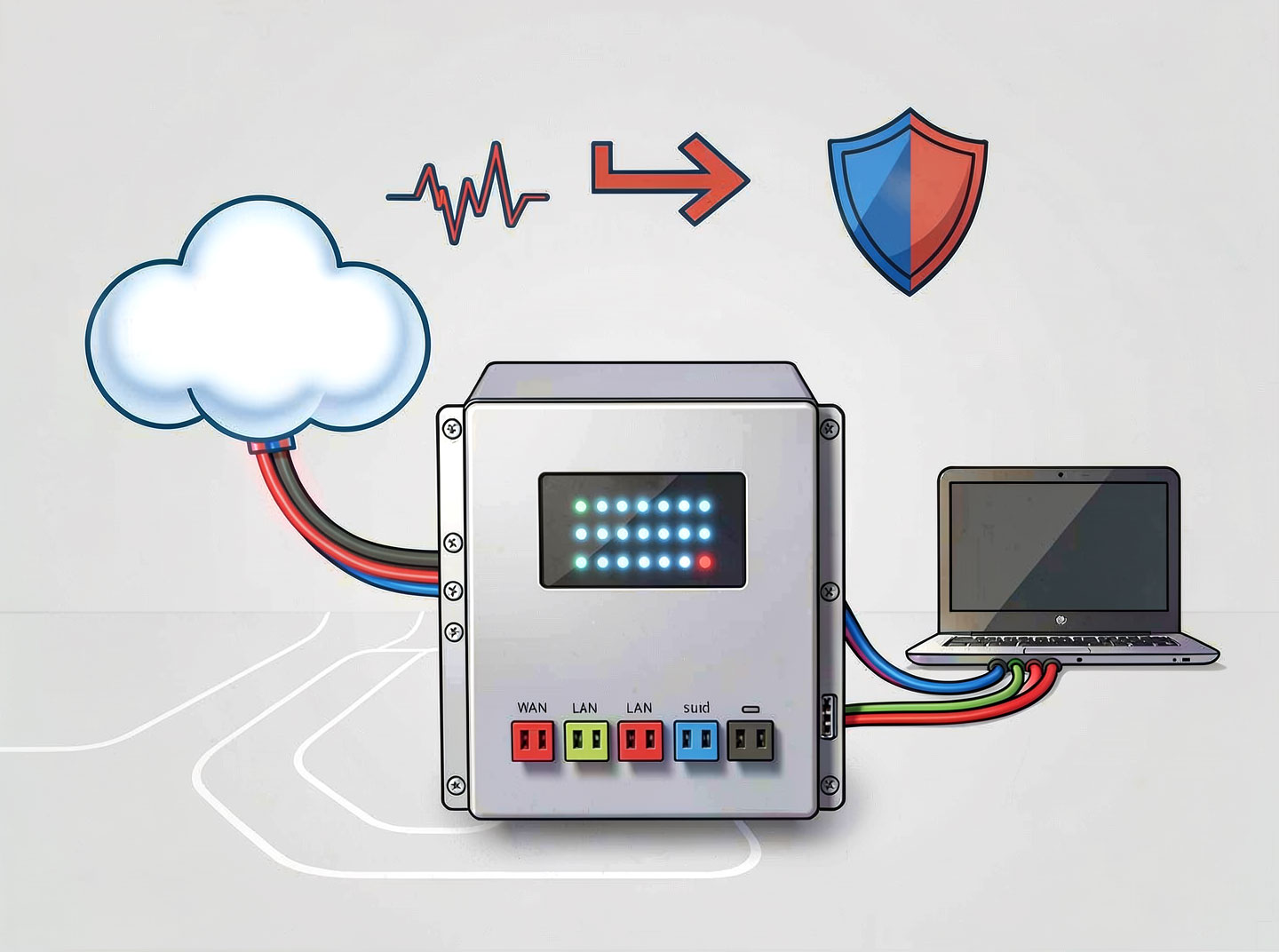
A gateway is a network node that connects two or more networks that use different communication protocols, data formats, or architectures. It acts as a translator, allowing disparate systems to exchange information seamlessly.

In simpler terms, imagine a gateway as a customs checkpoint between two countries that speak different languages. The gateway translates the “language” (protocol) of one network into the language of the other, ensuring data packets can travel across boundaries.
Key characteristics of a gateway:
Operates at any layer of the OSI model (most commonly at the application, transport, or network layer).
Can be hardware, software, or a combination of both.
Performs protocol conversion, data reformatting, and address translation.
2. How Does a Gateway Work?

A gateway works by intercepting data packets from one network, interpreting their format and protocol, and then repackaging them according to the destination network’s requirements. This process involves several steps:
Ingress – Receives data from a source network.
Decapsulation – Removes the original protocol headers.
Translation – Converts the data to the target protocol (e.g., HTTP to CoAP, IPv4 to IPv6).
Re-encapsulation – Adds new headers compatible with the destination network.
Egress – Forwards the translated packet toward its destination.
Example:
A home network using Ethernet (802.3) communicates with the internet, which uses a different protocol stack. The gateway (often integrated into a home router) translates Ethernet frames into IP packets and vice versa.
3. Key Functions of a Network Gateway

A gateway performs several critical functions within a network:
✅ Protocol conversion – e.g., TCP/IP to IPX/SPX, HTTP to MQTT.
✅ Data format transformation – e.g., changing character encoding or media formats.
✅ Address translation – NAT (Network Address Translation) is a classic gateway function.
✅ Traffic filtering – Acts as a firewall to block unauthorized access.
✅ Session management – Manages sessions between different network domains.
✅ Routing – Determines optimal paths when multiple routes exist.
✅ Security enforcement – Implements VPNs, encryption, and access control lists (ACLs).
4. Types of Gateways (With Examples)
There are several types of gateways, each serving a specific purpose in a network. Below is a list of common gateway categories:
a) Network Gateway
The most common type. Connects two different networks (e.g., LAN to WAN).
Example: A router that connects a home network to an ISP.
b) Cloud Gateway
Provides secure access between on-premises networks and cloud storage/services.
Example: AWS Storage Gateway, Azure Virtual Network Gateway.
c) IoT Gateway
Aggregates sensor data from IoT devices and translates it into standard protocols.
Example: A smart home hub that bridges Zigbee devices to Wi-Fi.
d) Application Gateway
Operates at Layer 7 (application) to understand HTTP/HTTPS requests.
Example: Azure Application Gateway for load balancing web traffic.
e) Email Gateway
Filters and routes email traffic between internal mail servers and the internet.
Example: A secure email gateway that blocks spam and malware.
f) VoIP Gateway
Converts voice signals between traditional telephone networks (PSTN) and VoIP.
Example: Cisco ATA (Analog Telephone Adapter).
g) Payment Gateway (Payment Industry)
While not a networking device per se, it acts as a gateway between merchant and bank networks.
Example: Stripe, PayPal.
5. Gateway vs. Router: What’s the Difference?
Many people confuse a gateway with a router. While a router is a type of gateway, not all gateways are routers. Here’s a quick comparison list:
FeatureRouterGatewayPrimary functionRoutes packets between similar networks (e.g., IP to IP)Translates between dissimilar protocolsOSI layerUsually Layer 3 (network)Can operate at Layer 3, 4, or 7Protocol supportTypically same protocol (e.g., IPv4)Converts between protocols (e.g., IPv4 to IPv6)Device formOften a dedicated boxCan be software, virtual, or hardwareExampleHome Wi-Fi routerCloud gateway that connects on-prem DB to S3
Key takeaway: Every router has gateway capabilities, but a gateway may not include routing logic.
6. Where Are Gateways Used? Common Scenarios

Gateways are found in almost every modern network. Here are real-world applications:
Home networks – Your broadband modem/router is a gateway to the internet.
Enterprise networks – A corporate gateway connects internal LAN to the WAN, often with security features.
Data centers – Load balancers and API gateways manage microservices traffic.
Telecommunications – SS7 gateways link mobile networks.
Industrial control systems – SCADA gateways translate Modbus to Ethernet/IP.
Smart cities – Traffic light systems use gateways to merge sensor data.
7. Benefits of Using a Gateway in Your Network
Implementing a gateway brings several advantages:
Interoperability – Connects legacy systems with modern networks.
Security – Central point to enforce firewalls, VPNs, and intrusion detection.
Scalability – Allows gradual migration (e.g., from IPv4 to IPv6 without replacing everything).
Traffic optimization – Can compress or cache data to reduce bandwidth.
Centralized management – Monitor all cross-network traffic from one node.
Compliance – Helps meet regulatory requirements (e.g., PCI DSS for payment gateways).
8. Security and Gateway: Firewall, NAT, and More

A gateway is often the first line of defense for a network. Many gateways incorporate:
Stateful firewall – Tracks active connections and blocks unsolicited traffic.
NAT (Network Address Translation) – Hides internal IP addresses from external networks.
VPN termination – Encrypts traffic between remote sites or users.
Intrusion Prevention System (IPS) – Inspects payloads for malicious patterns.
Deep Packet Inspection (DPI) – Analyzes packet content beyond headers.
Warning: A misconfigured gateway can become a single point of failure or a security vulnerability. Always follow best practices like regular patching and access logging.
9. How to Choose the Right Gateway for Your Network
Selecting a gateway depends on your network size, protocols, and security needs. Use this checklist:
Protocol compatibility – Does it support the required translation (e.g., MQTT to HTTP)?
Throughput – Can it handle your peak traffic (measured in Mbps or Gbps)?
Redundancy – Does it support failover clustering?
Security features – Built-in firewall, VPN, SSL inspection?
Management interface – CLI, web GUI, or cloud-managed?
Cost – Hardware vs. software vs. cloud subscription model.
Example choices:
Small office: A combined router/gateway like Ubiquiti EdgeRouter.
Large enterprise: Cisco ASR 1000 series with advanced gateway services.
Cloud-native: Kong or NGINX as an API gateway.
10. Future Trends: Cloud Gateways and IoT

The role of the gateway is evolving. Three major trends are reshaping gateway technology:
Cloud-native gateways – Software-based gateways running as containers (e.g., Envoy, Traefik) that serve microservices networks.
Edge gateways – Process IoT data locally before sending to the cloud, reducing latency.
AI-powered gateways – Use machine learning to adaptively route traffic and detect anomalies.
Example: A smart factory deploys hundreds of IoT gateways that pre-process sensor data, only sending alerts to the central network.
11. Conclusion
A gateway is an indispensable component of any network that needs to communicate beyond its native protocol boundaries. From converting IPv4 to IPv6 at home to connecting thousands of IoT devices in an industrial setting, gateways enable interoperability, security, and scalability.
Understanding what a gateway is—and how it differs from a router—will help you design more robust networks. Whether you choose a hardware appliance, a virtual instance, or a cloud-hosted service, the right gateway can transform a fragmented network into a unified, efficient system.
Bonus: Quick Reference – Gateway Terminology List
TermDefinitionDefault gatewayThe node a device sends traffic to when the destination is outside its local subnetGateway of last resortAnother name for default gateway in routing tablesProxy gatewayA gateway that forwards requests on behalf of clients (e.g., web proxy)Media gatewayConverts voice/media streams between different telecom networksAPI gatewayManages, authenticates, and routes API calls between services
Frequently Asked Questions (FAQ)
Q: Is a gateway the same as a modem?
A: No. A modem modulates/demodulates signals for a specific medium (e.g., cable). A gateway translates protocols. Many home devices combine both functions.
Q: Can a gateway be a virtual machine?
A: Yes. Software gateways (e.g., pfSense, OpenWrt) run on VMs and provide full gateway functionality.
Q: Does every network need a gateway?
A: Only if it needs to communicate with a different type of network. Two identical LANs can connect via a router without full protocol conversion.
Q: What is the default gateway IP address?
A: Often 192.168.1.1 or 10.0.0.1. It’s the gateway your device uses to reach other networks.